Using OBS as Veritas NetBackup storage server
V1.2 - 2024-09-03
| Version | Author | Description |
|---|---|---|
| V1.0 - 2023-07-20 | Gabriel Gutierrez g00817435 | Initial version |
| V1.1 - 2024-06-05 | Gabriel Gutierrez g00817435 | Changed “Endpoint access style” configuration from “Path style” to “Virtual Hosted style” |
| V1.2 - 2024-09-03 | Gabriel Gutierrez g00817435 | Updated OBS configuration screenshots. |
Introduction
This document details the process on how to use Huawei Cloud Object Storage Service (OBS) as a Veritas NetBackup volume, using the AWS S3 protocol. NetBackup v10.2 is used as reference.
Preparation
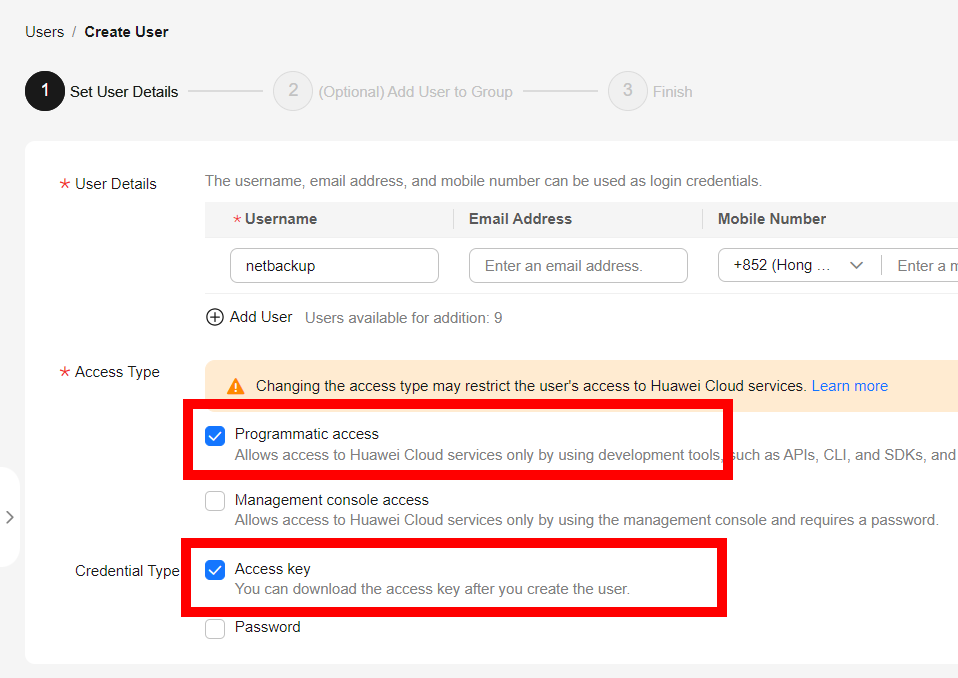
Create an IAM User with Programmatic Access only, and “Access key” credential type only. Do not add the IAM user to any group, and also do not give any permission in IAM Console. Download the credentials file (credentials.csv), which contains the user’s AK and SK.
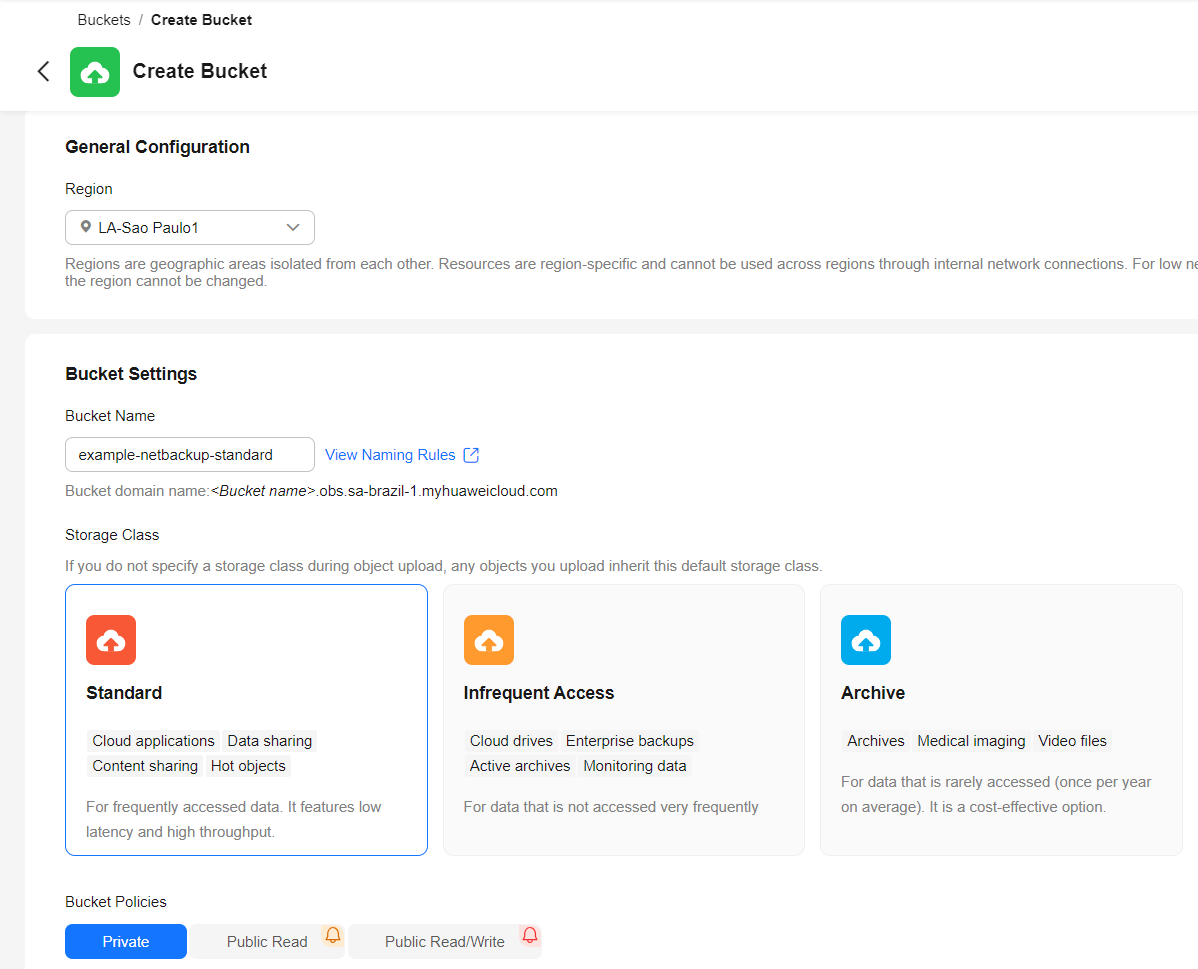
Create an OBS Bucket with the desired Default Storage Class (Standard, Infrequent Access or Archive), and “Private” Bucket Policy.
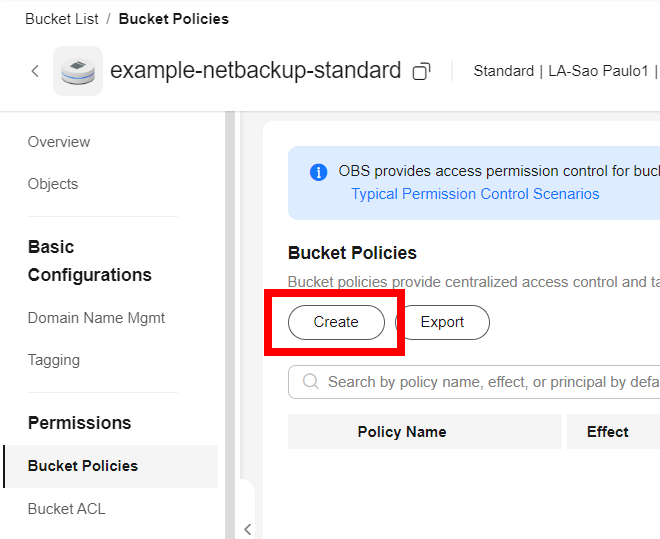
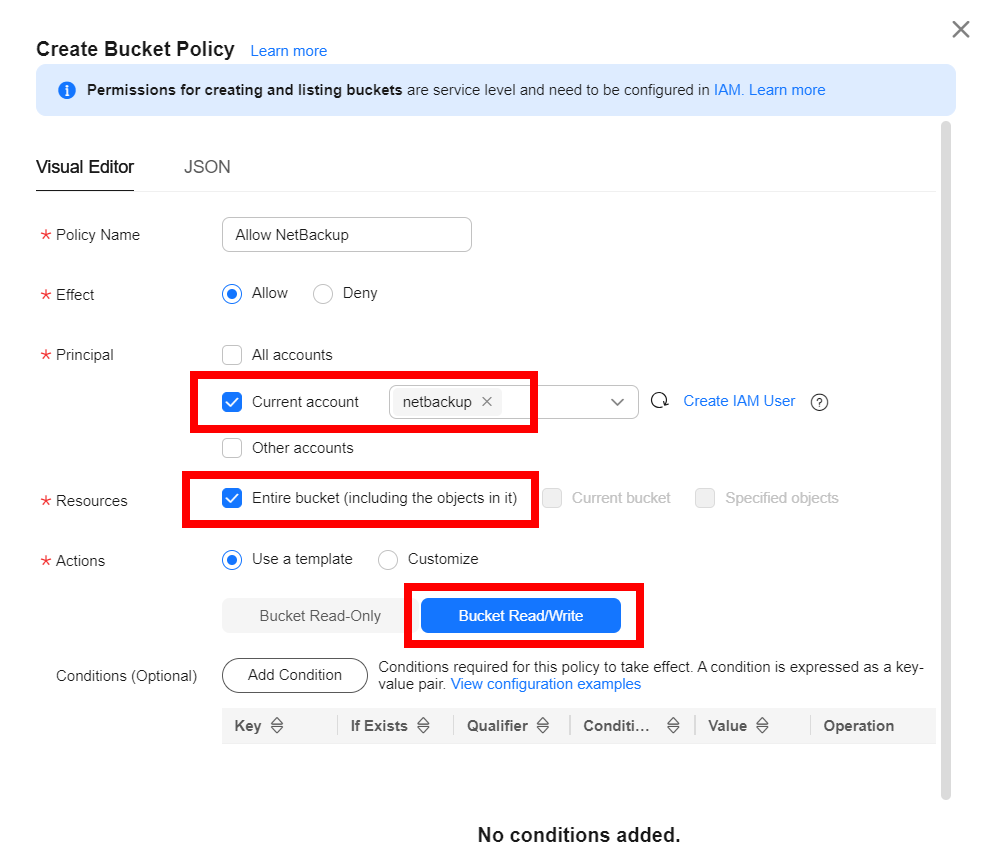
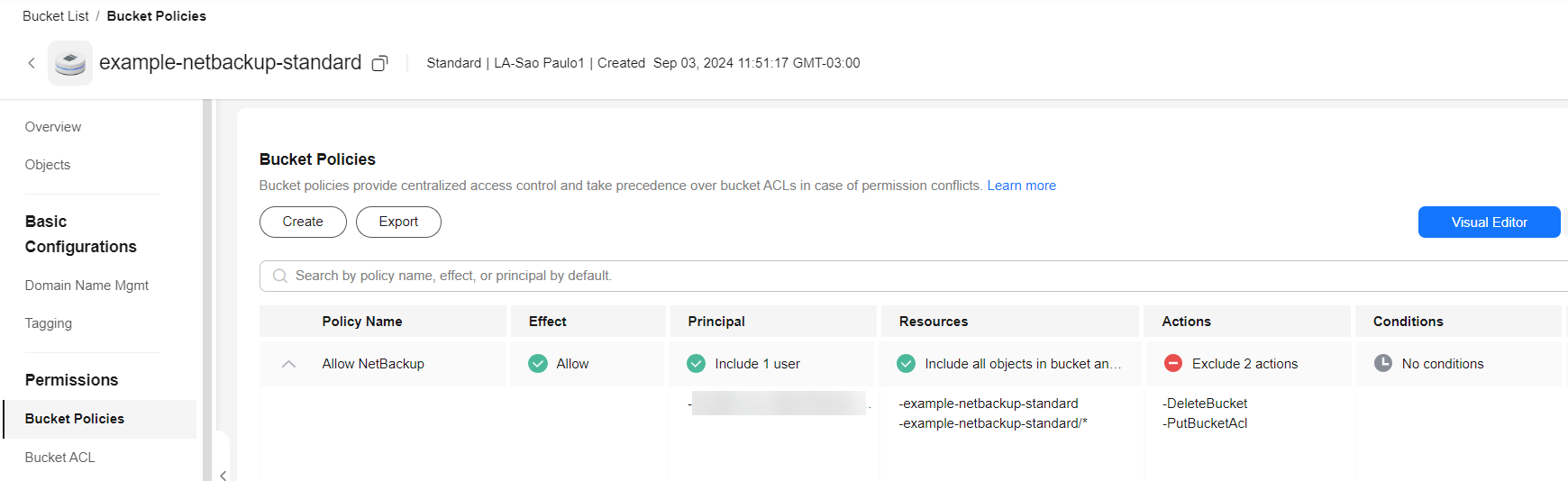
In the OBS Bucket, add a Policy to allow read/write by IAM User created before.
NetBackup Configuration
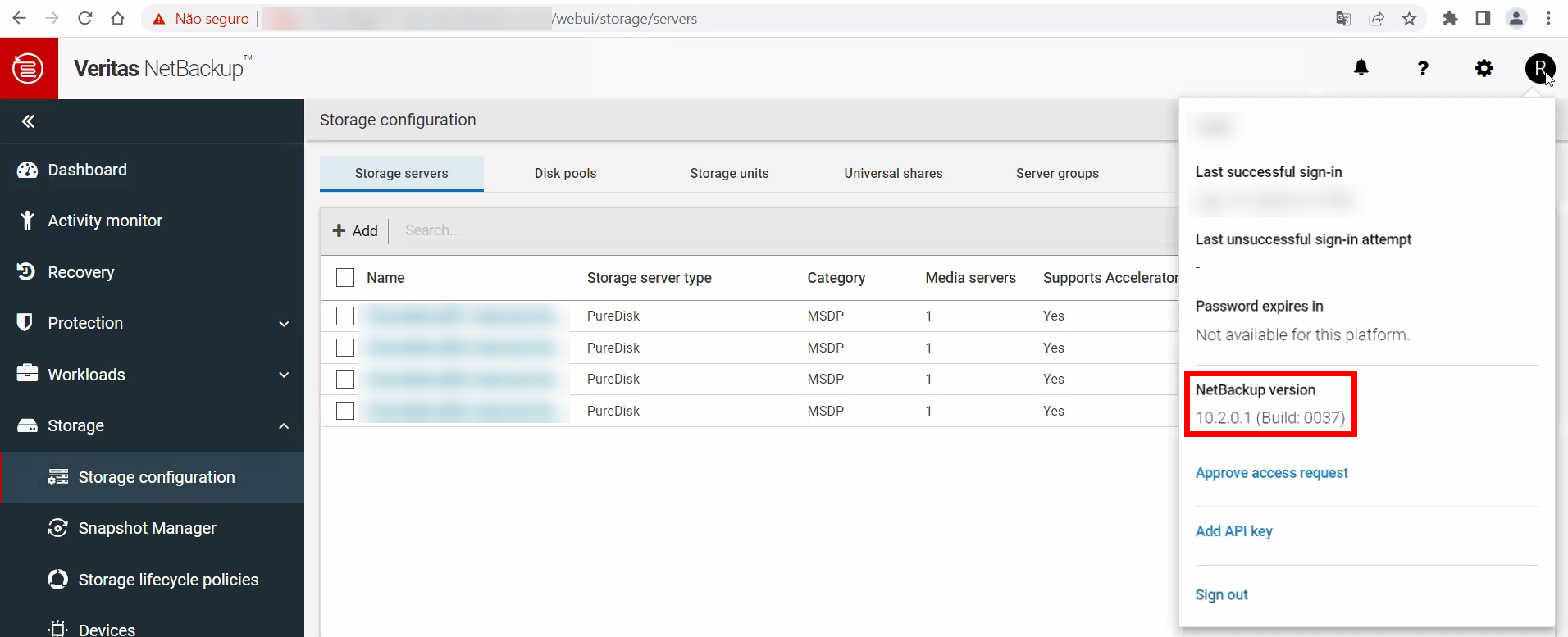
Veritas NetBackup 10.2 is being used as an example.
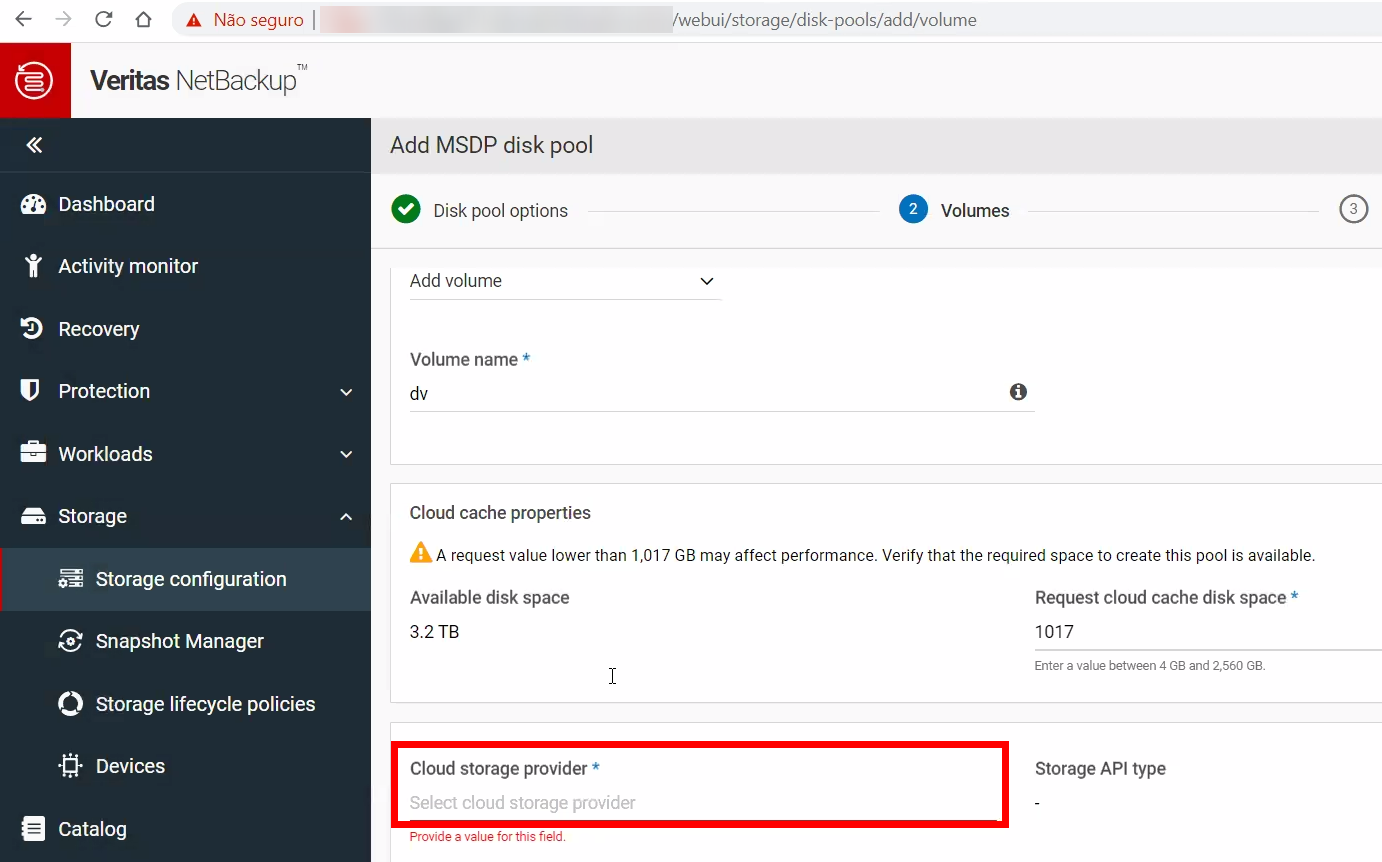
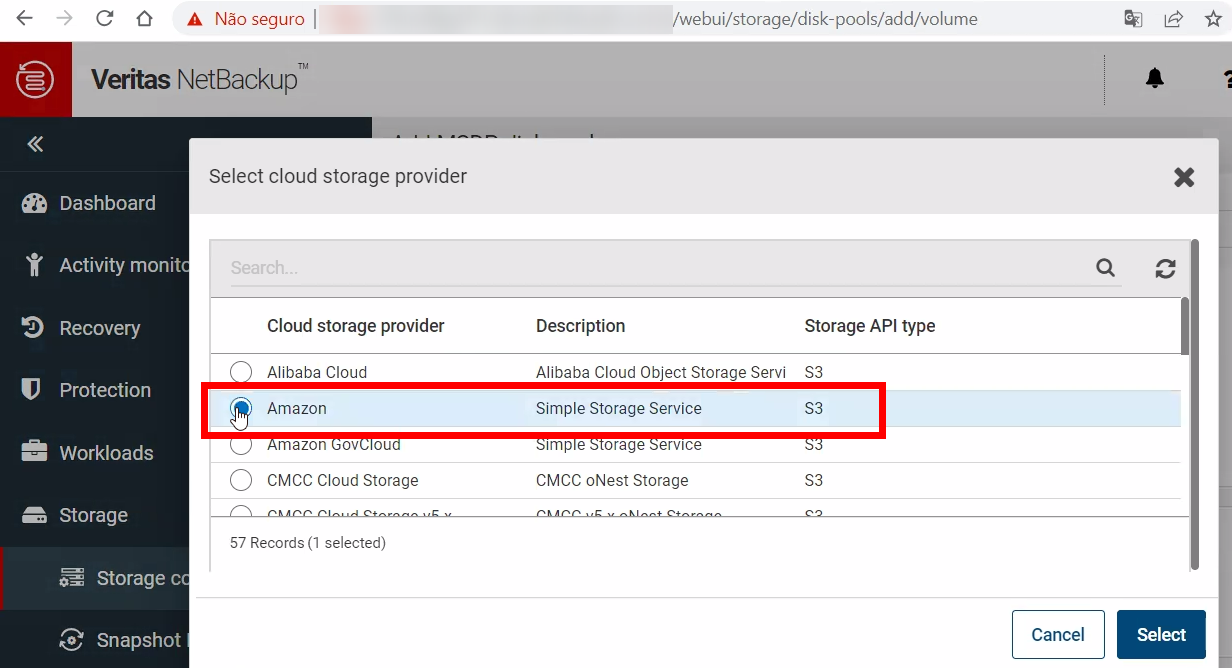
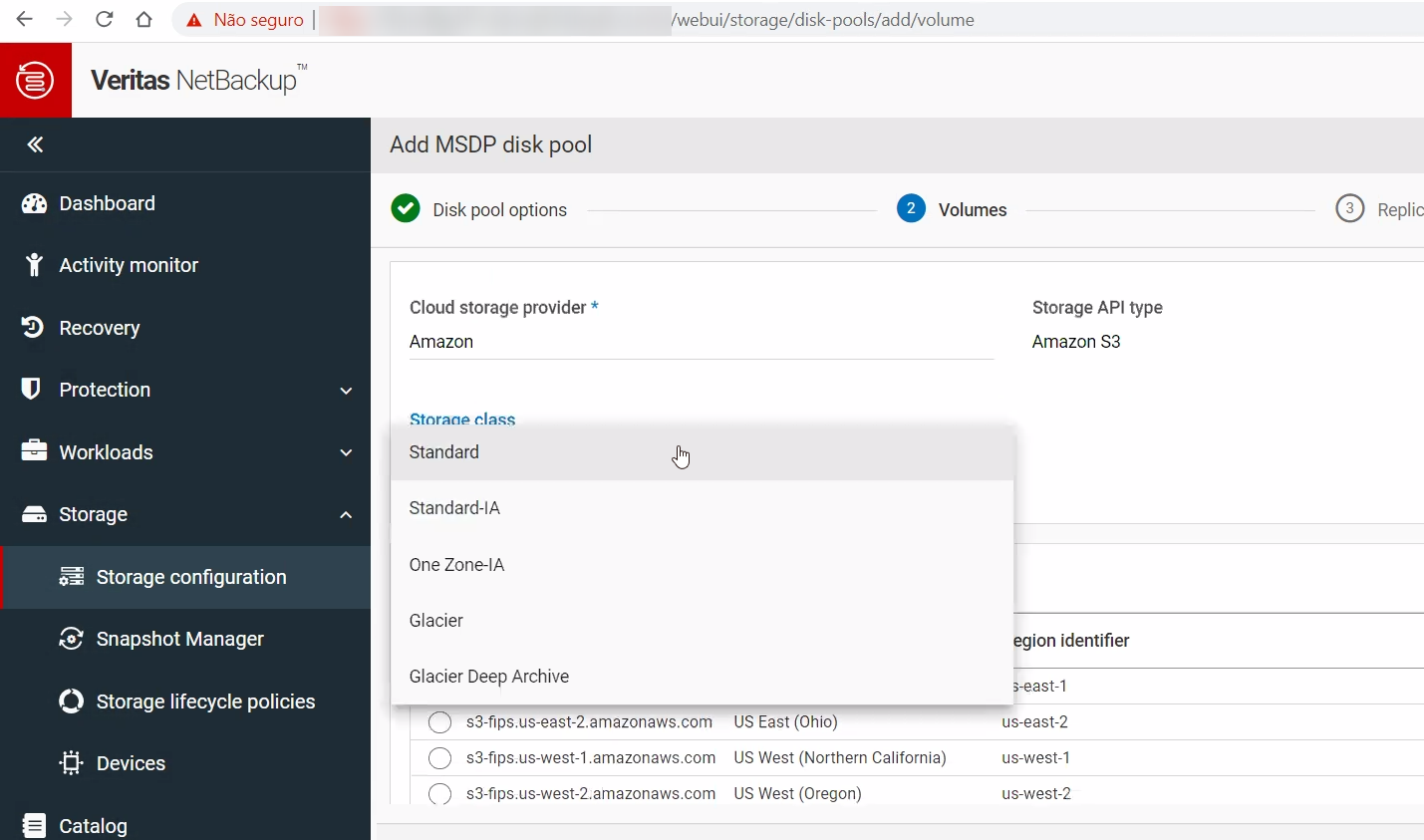
When adding a Volume, choose “Amazon S3” as Cloud storage provider:
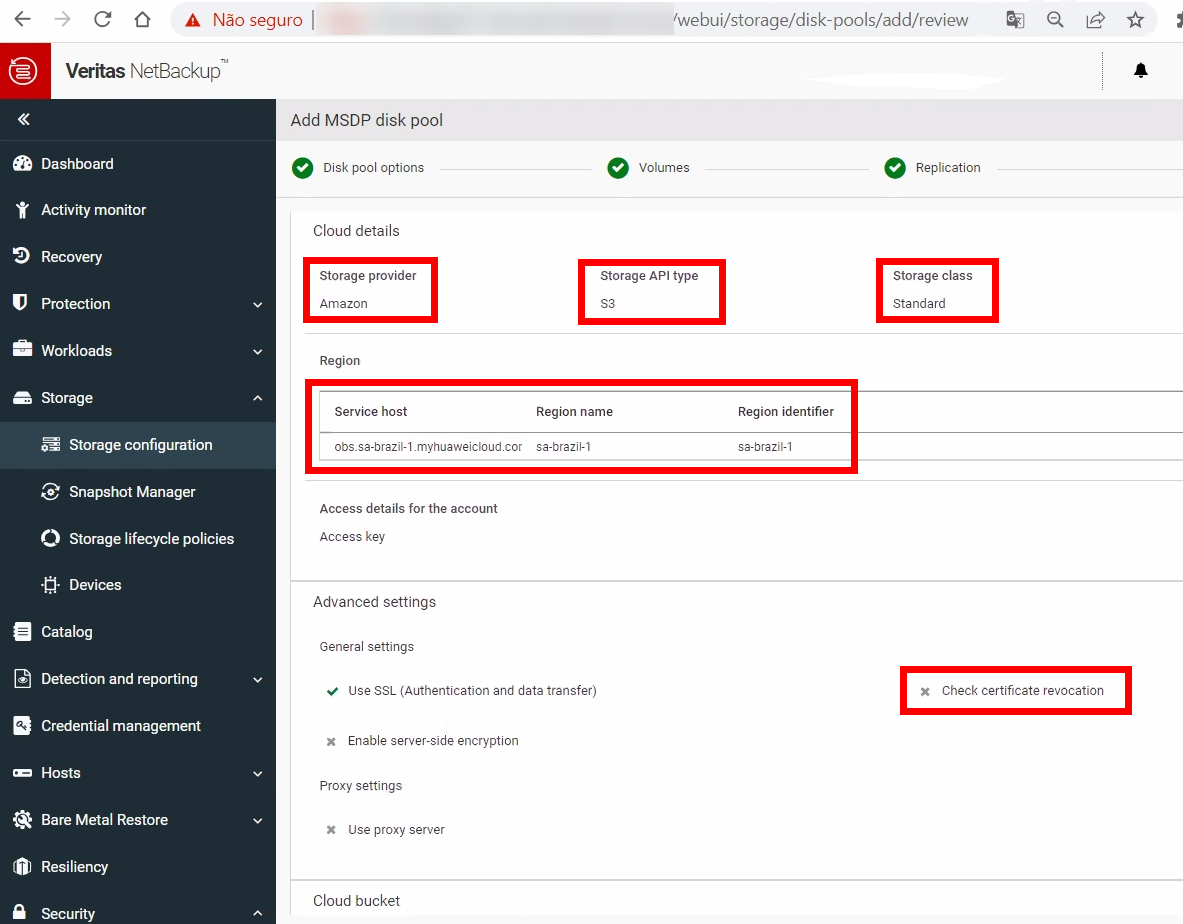
Select the desired Storage class, using the following mapping:
| S3 class | HWC OBS class |
|---|---|
| Standard | Standard |
| Standard-IA | Infrequent Access |
| Glacier | Archive |
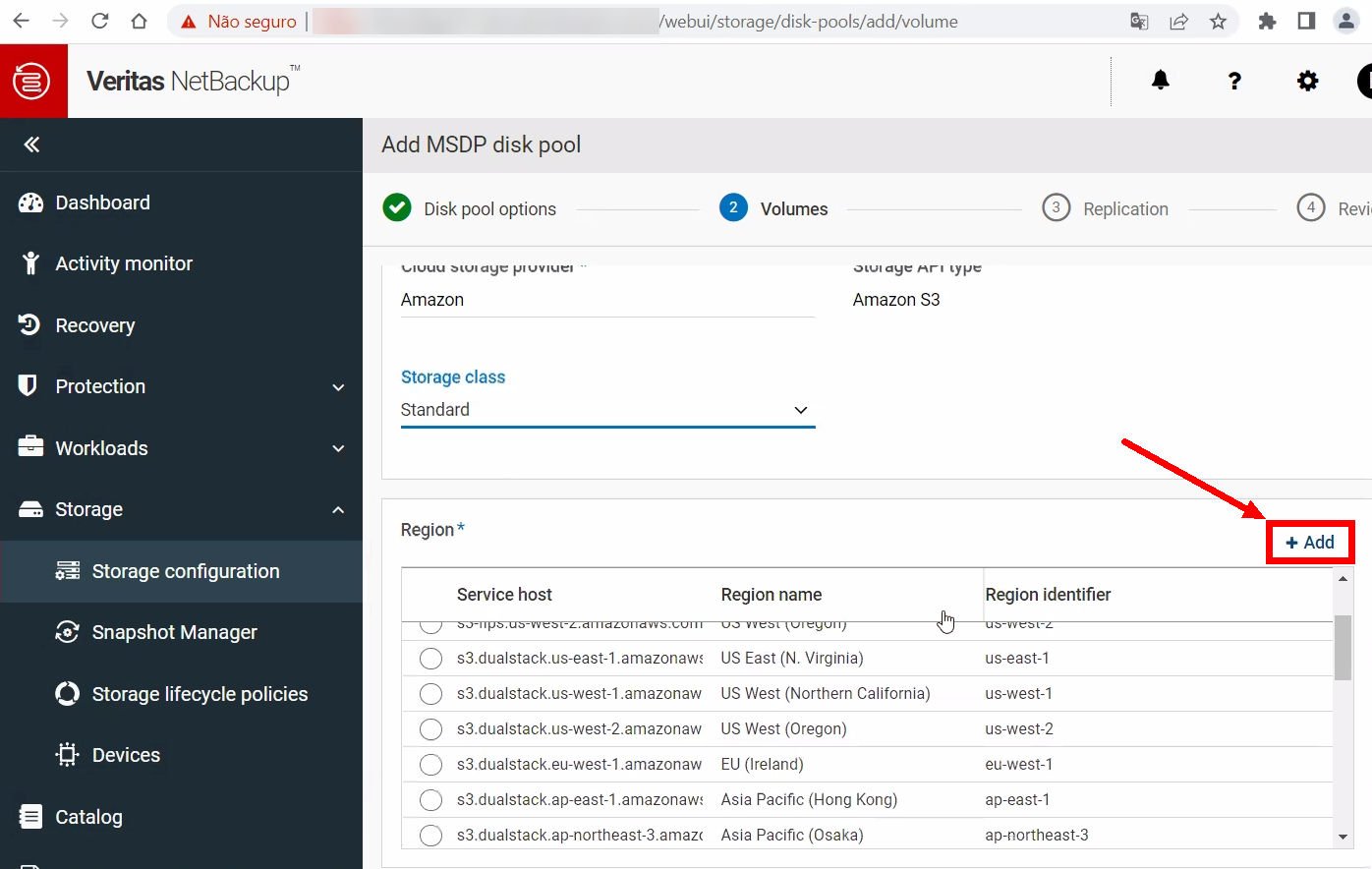
In the Region section, click on “+ Add” on the right side
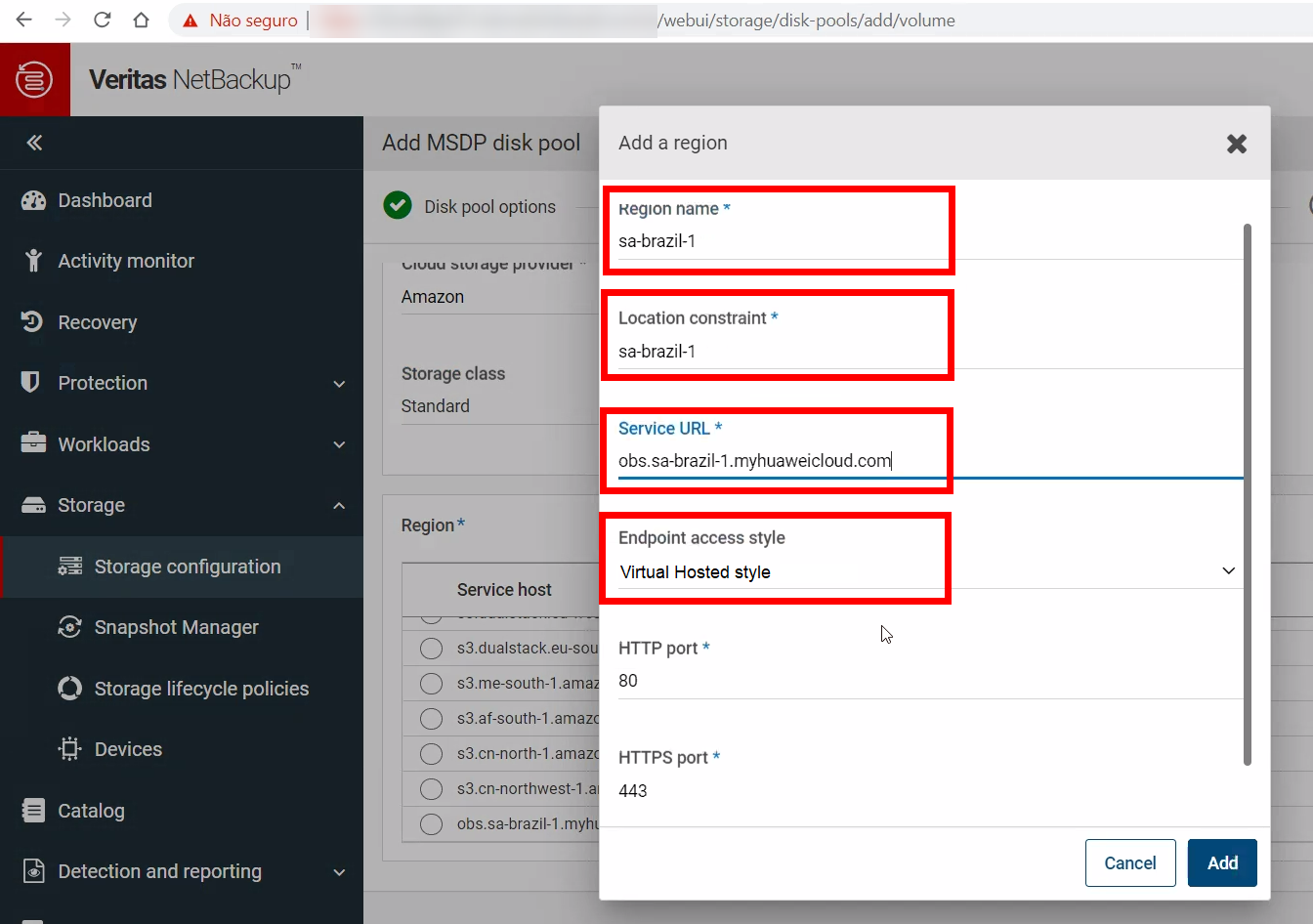
Configure the following parameters (using LA-Sao Paulo1 as example), using “Regions and Endpoints” webpage (https://developer.huaweicloud.com/intl/en-us/endpoint) as reference:
- Region Name: sa-brazil-1 or LA-Sao Paulo1 (region name)
- Location Constraint: sa-brazil-1 (region code)
- Service URL: obs.sa-brazil-1.myhuaweicloud.com (OBS endpoint for chosen region)
- Endpoint access style: Virtual Hosted style
- Leave HTTP and HTTPS ports with default values (80 and 443)
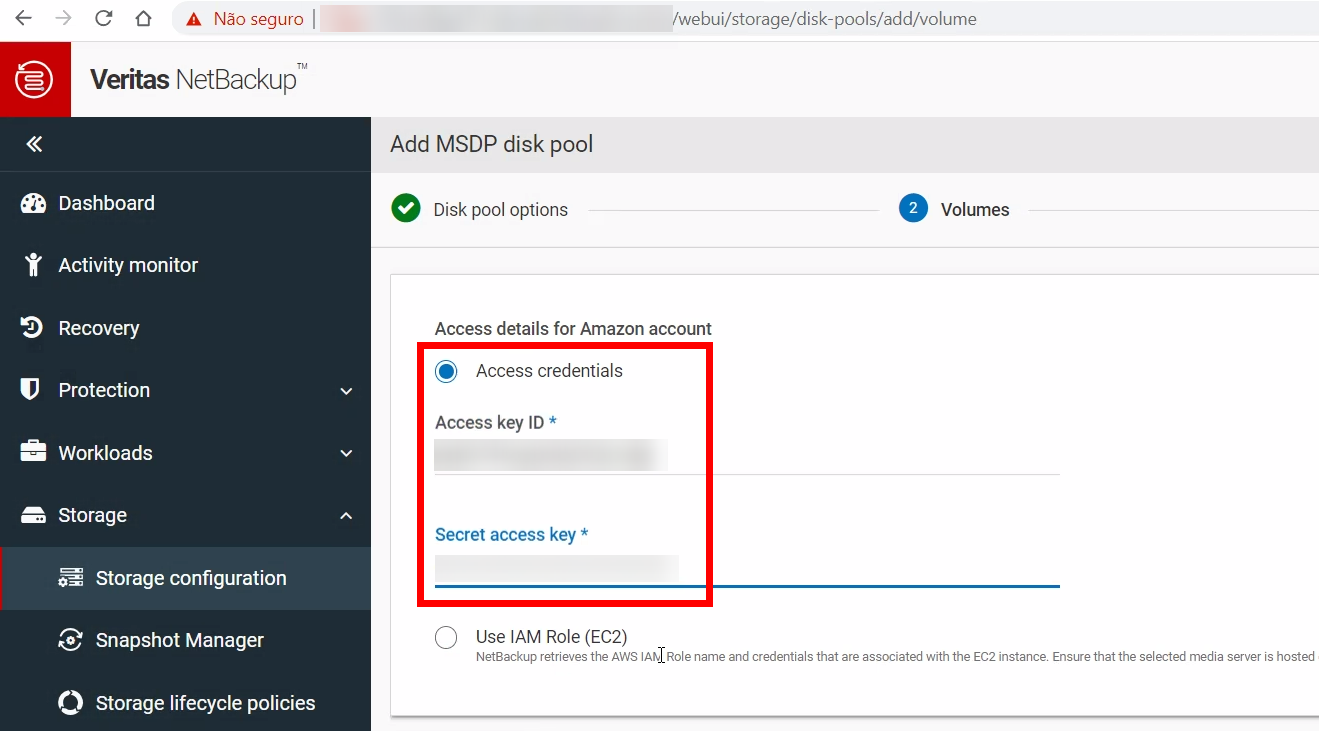
In Access details, configure AK and SK obtained from credentials.csv file downloaded when creating the IAM User.
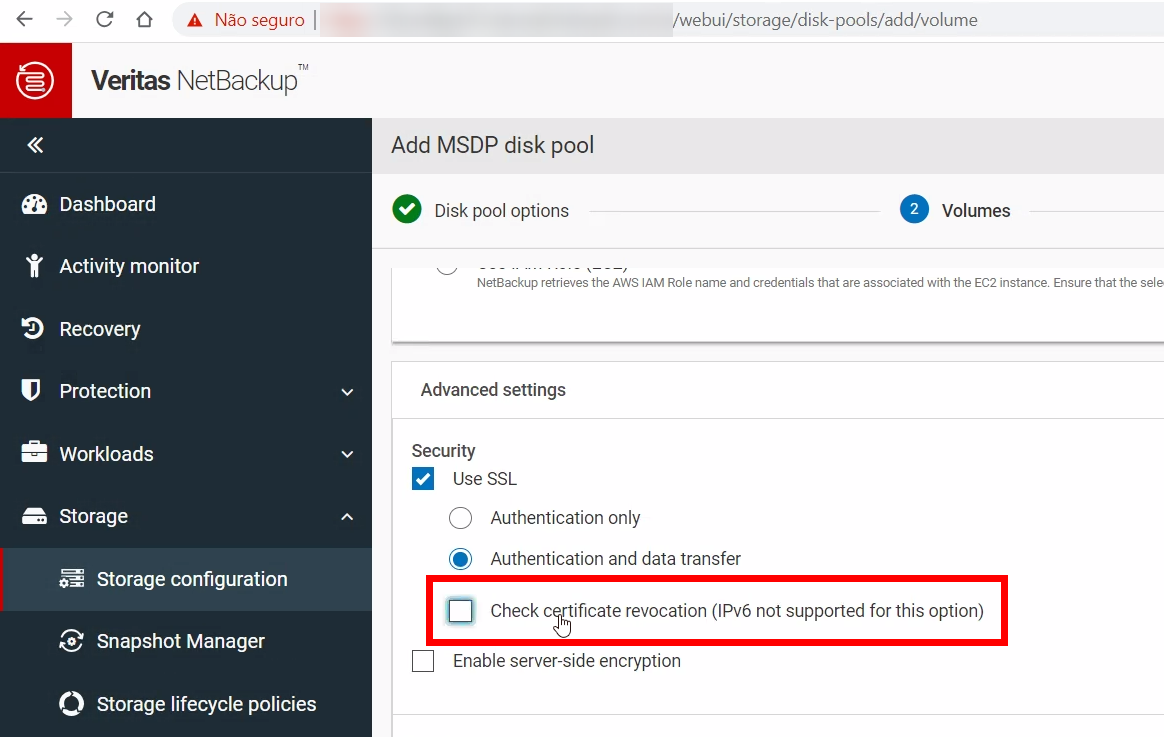
In Advanced Settings > Security, keep “Use SSL” checked and uncheck/disable “Check certificate revocation”
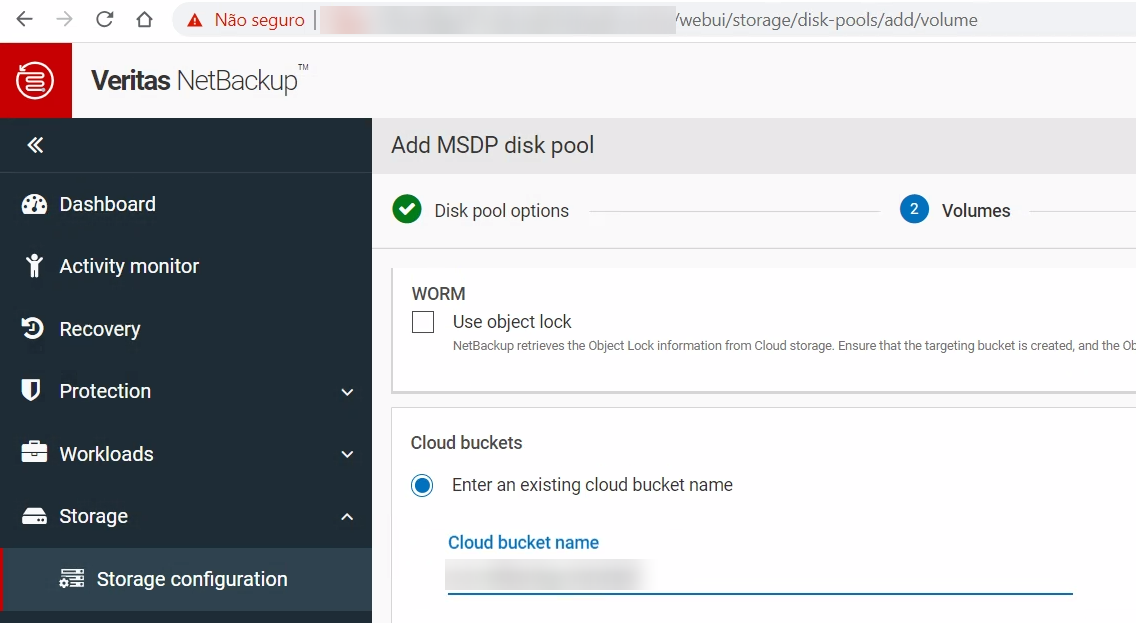
Enter OBS bucket name which was created before:
Confirm the configurations made in the previous steps.
After finishing NetBackup configuration, if Standard or Infrequent Access (Standard-IA) storage classes are selected, objects in OBS bucket will be created with those respective Storage classes. If Archive storage class is selected during volume configuration, however, NetBackup will store metadata as Standard storage class in the OBS bucket, and backup data will be stored as Archive storage class. NetBackup’s internal algorithms make the decision of which Storage class will be used for OBS objects if Archive/Glacier is selected.